
TeamSpeak
TeamSpeak is software that allows users to talk to each other by voice, and is what ScoutLink uses for voice chat. Chatting is done in small groups in virtual ‘rooms’. To use our TeamSpeak server, you will need the following:
- TeamSpeak software, downloadable from teamspeak.com/downloads
- Speakers or headphones to hear other people
- A microphone to talk through
Connecting to our TeamSpeak server

Please follow the instructions below to connect to our TeamSpeak server:
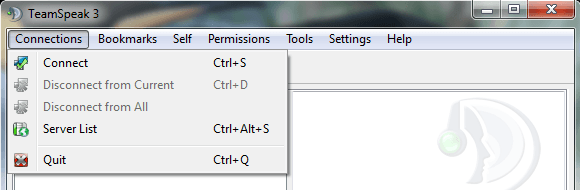
- Click on ‘Connections’, and then click ‘Connect’.
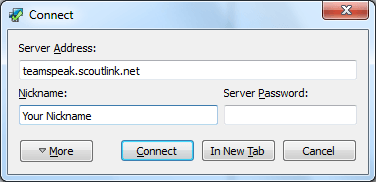
- Fill in the boxes using the following information and then click ‘Connect’:
- Server Address: teamspeak.scoutlink.net
- Enter a nickname of your choice in the Nickname box
- Leave the Server Password box empty
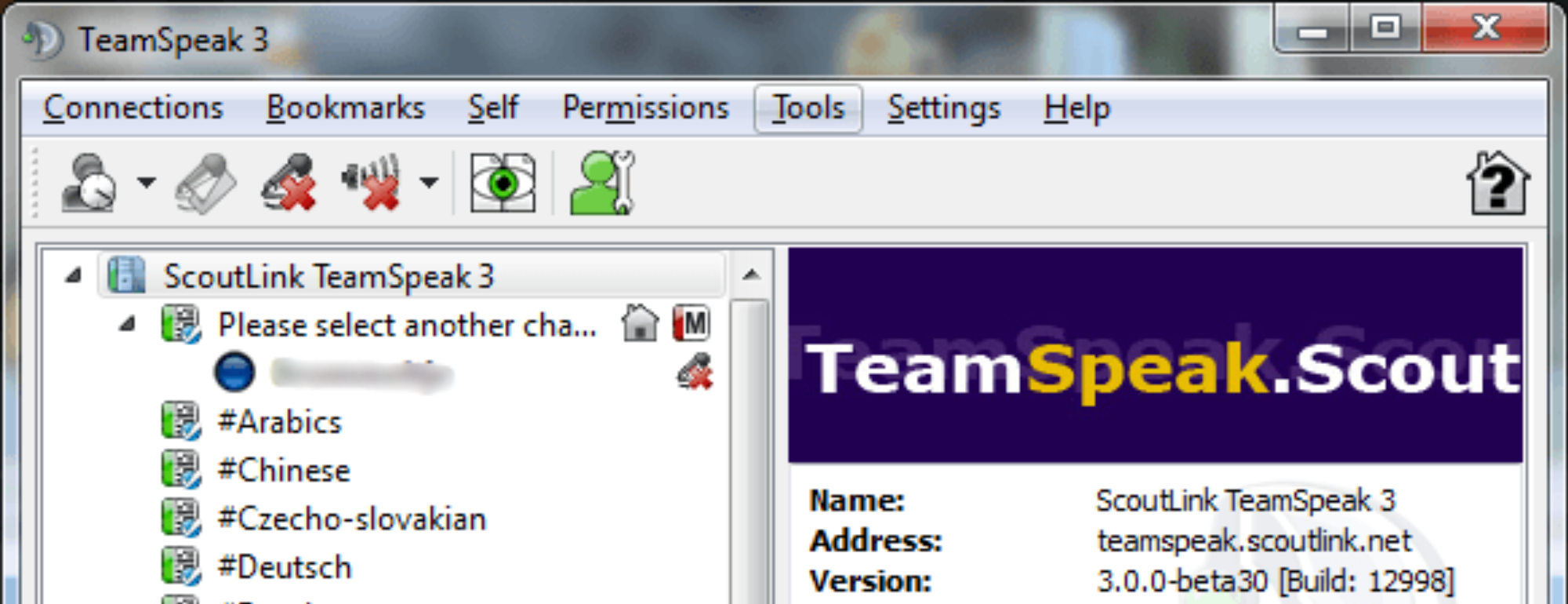
- You will automatically join a channel called “Please select another channel”.
Enter the channel you want to join by double clicking on the channel name from the list.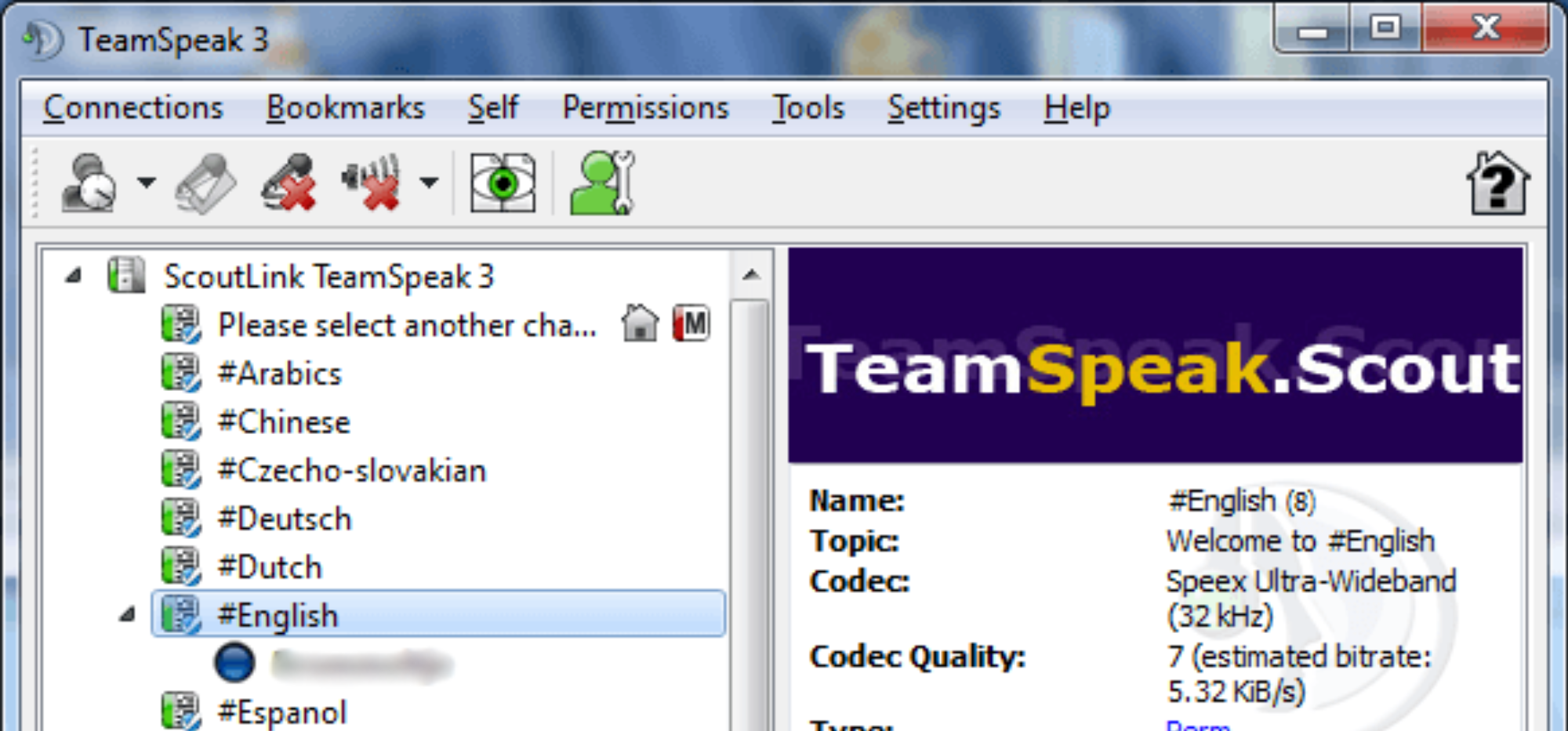
Bookmarking the server
You can bookmark the ScoutLink TeamSpeak server so you don’t have to write the address everytime you want to chat. Follow the instructions below:
- Click on ‘Bookmarks’, and then click on ‘Add to Bookmarks’.
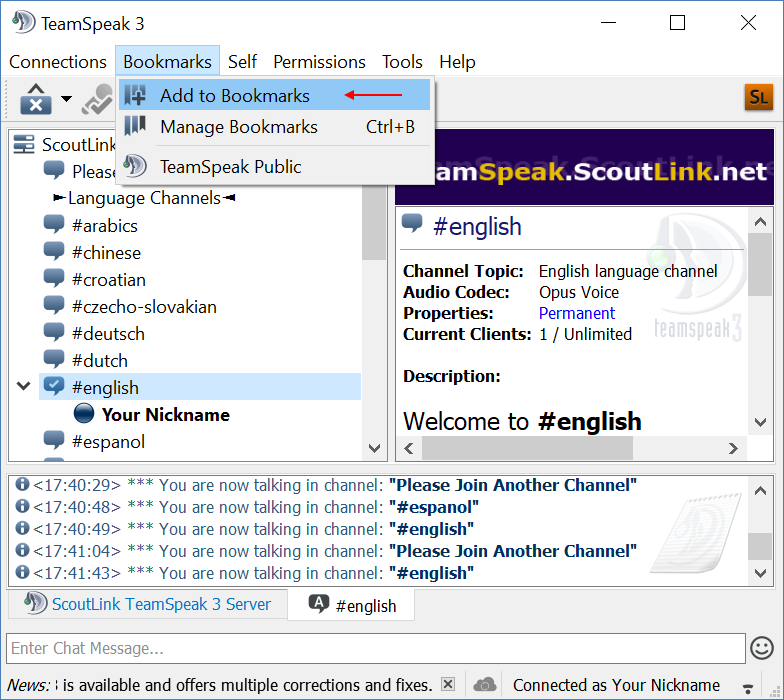
- Check that the details are correct, and tick ‘Connect on Startup’ for convenience, and then click ‘Apply’ and/or ‘Ok’.
Shields
Techie 
These people are allowed to adjust server settings, may kick and ban users from the server, can create, edit and delete new channels and are able to move people to another channel or give out Techie, CC, IRCOp and ChanOp rights. They have rights across the entire server.
Country Coordinator (CC) 
These people are allowed to kick and ban users from the server, can create, edit and delete new channels and are able to move people to another channel or give out IRCOp and ChanOp rights. They have rights across the entire server.
IRC Operator (IRCOp) 
These people are allowed to kick and ban users from the server, can create, edit and delete new channels and are able to move people to another channel and give ChanOp rights. They have rights across the entire server.
Channel Administrator 
The Channel Administrators are Chanops who can also give out ChanOp rights. Like ChanOps, they can kick and ban and edit channels which they have rights in.
Channel Operator (ChanOp) 
The ChanOps are basically comparable to ChanOps on IRC. They can kick, ban and edit channels which they have rights in.
Need help?
If you need help connecting to or using TeamSpeak then you can:
- Ask one of our operators or team members for help. They all have a shield (as above) next to their name on the server.
- Join the TeamSpeak #help channel. This notifies all operators on the server that you need assistance.
- Join the IRC #help channel.
- Email help@scoutlink.net directly, or using our contact form.